
Setting up product Packs
How to set up pack of 5 coasters for a fixed bundle price
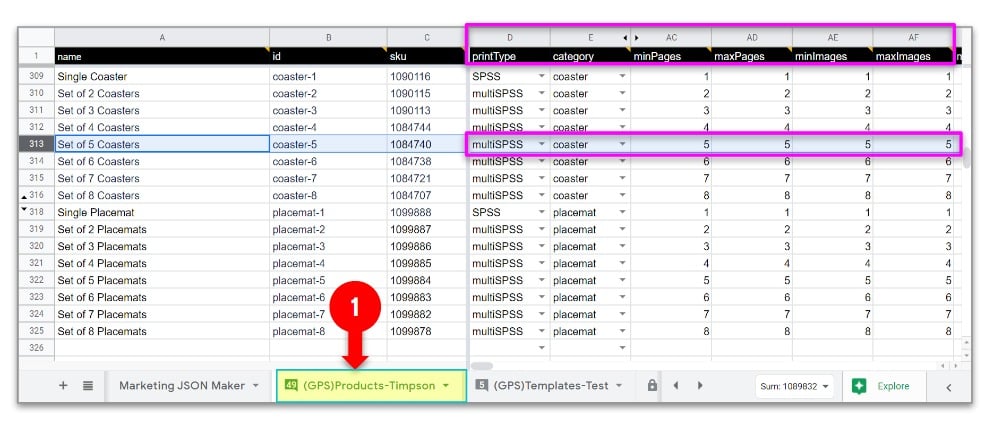
Pro Tip 1
Now you go to the tab/worksheet called “(OC) Products”.
Step 6. Add products. Proceed to cut and paste entire row of the base product in the OC sheet as you did in the GPS sheet.
Step 7. Edit “model” (Col. A) to match up with the “id” which you have assigned in the GPS Products sheet in Step 2 above.
[{
  "name":"default",
  "price":"$10",
  "amount":"1,
  "extraCostPerPage":0,
  "pack":{"multiplier":0.2}
}]
FINAL STEP: Get your PM to import the OC Products sheet (or the secondary product sheet that you have been working on)
Pro Tip 2: The easier safer method...
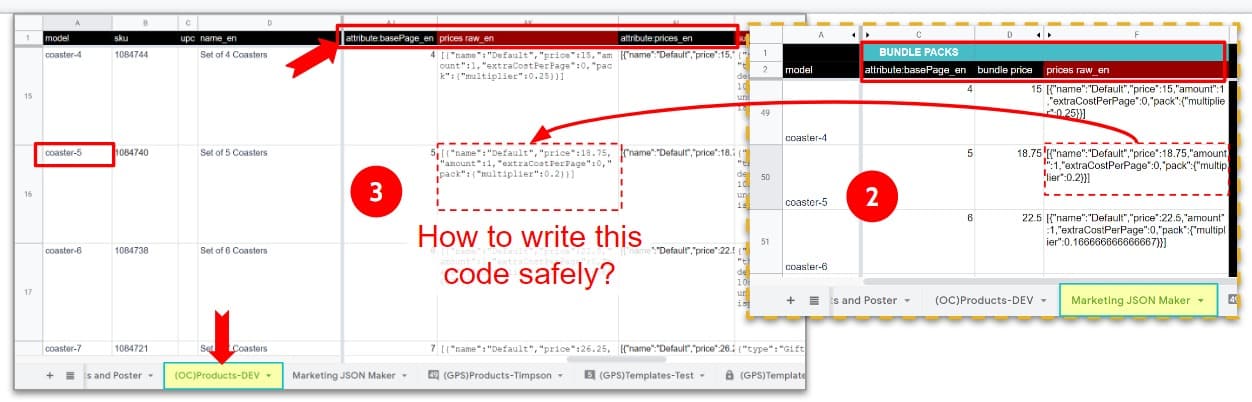
We have created a "Marketing JSON Maker" worksheet for generating the price bundle JSON by simply inputting the 2 core information we need: The price of the pack, and the number of items in the pack. Then you copy/paste the JSON generated into your OC Products sheet's Col. for "price raw_en"
Using the “Marketing JSON Sheet”
This is useful when you are creating a bunch of products in batch-mode.
Go to the “Bundle Packs section” and enter the “attribute basePage_en” column with the number of items in a pack and then the bundle price.
Cut+paste the JSON in column F to the right cell in your main OC products worksheet. Voila! Of course if you line up the products in the same sequence, you can simply add a formula reference to that cell and drag and drop entire column of a few rows to quickly set them up.
How To Verify That It Is Set Up Right?
Say you set up a 5-pack Coaster at $10.
- Choose that product: the photo picker should require you to pick EXACTLY 5 photos (minImages=maxImages=5 and attribute basePage_en = 5).
- In the Edit Screen, you will see the 5 images in the bottom bar. And the Coaster surface in the middle Edit area. Swipe it, and you will see all 5 coasters with each of the 5 photos.
- Now add this item to Cart.
- You should see “Qty = 1” and price is as you indicated in the “prices raw_en” JSON.
- Now increment the quantity to 2.
- Your final total in the bottom bar should be twice the amount of each pack